Admin API - Documentation
- Basket API Documentation
- Transaction API Documentation
- Statistics API Documentation
- Touchpoints / Customer Journey API Documentation
- Order Webservice
- Publisher Webservice
- Connecting an External API
- Admedia Webservice
- Basket Webservice / Update API
Basket API Documentation
The Basket API is used for exporting and analyzing shopping cart data recorded via the partner program system. It allows you to retrieve detailed information on individual basket items in a structured CSV format for further processing.
The API can be accessed within the user interface under the Data API menu item.
API Call
https://www.domain.de/api//ACCESS-TOKEN/admin/ID/get-orders_baskets.csv
| Value | Description |
| www.domain.de | Partner program system domain |
| ACCESS-TOKEN | User's Access Token |
| ID | User ID |
| .csv | Download file format |
Basket API Filtering
Various parameters can be used as filters for the Basket API. Below is an overview of all available parameters:
| Parameter | Value / Example | Description |
condition[period][from] |
01.01.2025 | Defines the start date of the time period |
condition[period][to] |
31.01.2025 | Defines the end date of the time period |
condition[l:campaigns] |
1 | Filters all baskets assigned to a specific campaign. Multiple values allowed. |
condition[datemode] |
processing payout incoming |
Determines the type of date period: • processing: Baskets validated within the period • payout: Baskets paid out within the period • incoming: Baskets recorded within the period (transaction date) |
Example:
condition[period][from]=01.01.2025&condition[period][to]=31.01.2025&condition[datemode]=processing
Field Definitions in the Basket API
The downloaded transactions (e.g., as a .csv file) contain the following columns:
| Field Name | Description |
id |
Unique ID of the basket item |
orderid |
Internal ID of the associated transaction |
timestamp |
Timestamp of the transaction |
ordertoken |
Order number of the transaction |
trigger_id |
ID of the trigger assigned to the transaction |
is_basket |
Indicates if it is a basket item (true / false) |
basket_item_id |
Unique ID of the basket item |
category |
Category provided by the shop |
productid |
Product ID in the shop |
productname |
Name of the product in the shop |
amount |
Number of products purchased |
price |
Unit price of the product |
original_price |
Original unit price before changes |
status |
Status of the basket item |
total |
Total price (Quantity × Price) |
commission |
Commission the publisher receives for the basket item |
currency_rate |
Conversion rate for foreign currencies |
currency |
Currency of the transaction |
is_attributed |
Indicates whether attribution applies (true / false) |
attribution |
Type of attribution per basket item |
attributed_price |
Attributed price per basket item |
attributed_total |
Attributed price × Quantity |
trigger_value |
Commission amount per basket item |
original_turnover |
Tracked revenue |
price_brutto |
Gross price of the basket item |
Transaction API Documentation
The Transaction API enables the structured export and analysis of transactions recorded within the partner program system. It provides detailed insights into individual transaction processes and assists with billing, performance measurement, and integration into internal or external systems.
The API can be accessed within the user interface under the Data API menu item.
API Call
https://www.domain.de/api//ACCESS-TOKEN/admin/ID/get-orders.csv
| Value | Description |
| www.domain.de | System domain |
| ACCESS-TOKEN | User's Access Token |
| ID | User ID |
| .csv | Download file format |
Transaction API Filtering
Various parameters can be used as filters for the Transaction API. Below is an overview of all available parameters:
Transaction Status
| Parameter | Value | Example | Description |
condition[l:status] |
open |
condition[l:status]=open |
All transactions defined as "Open" in the system |
confirmed |
condition[l:status]=confirmed |
All transactions defined as "Confirmed" in the system | |
paid |
condition[l:status]=paid |
All transactions defined as "Paid" in the system | |
canceled |
condition[l:status]=canceled |
All transactions defined as "Canceled" in the system |
Note: A combination of multiple statuses is possible. For example:
condition[l:status]=confirmed,paid
General Filters
| Parameter | Value / Example | Description |
condition[period][from] |
01.01.2025 | Defines the start date of the time period |
condition[period][to] |
31.01.2025 | Defines the end date of the time period |
condition[l:campaigns] |
1 | Filters all baskets assigned to a specific campaign. Multiple values allowed. |
condition[datemode] |
processing payout incoming |
Determines the type of date period: • processing: Baskets validated within the period • payout: Baskets paid out within the period • incoming: Baskets recorded within the period (transaction date) |
Example:
condition[period][from]=01.01.2025&condition[period][to]=31.01.2025&condition[datemode]=processing
Field Definitions in the Transaction API
The downloaded transactions (e.g., as a .csv file) contain the following columns:
| Field Name | Description |
id |
Unique ID of the transaction |
status |
Status of the transaction 0 - open 1 - confirmed 2 - cancelled 3 - paid |
timestamp |
Timestamp of the transaction |
campaign_id |
Campaign to which the transaction was assigned |
attribution |
Amount of the paid attribution |
delivered_tagcode_count |
Number of executed tags |
delivered_tagcode_serversided_url |
Transmitted server-side tracking call |
ordertoken |
Order number transmitted by the advertiser |
source |
Source of the transaction |
project_id |
ID of the project to which the transaction was assigned |
admedia_id |
Ad media ID through which the transaction was generated |
type |
Type of transaction (e.g., Sale, Lead, View) |
commission |
Commission assigned to the publisher (will be updated when the order is changed) |
source_commission |
First commission value assigned to the publisher (will not be updated) |
commission_group_id |
Commission group the publisher belonged to when the transaction was generated |
trigger_id |
Trigger ID assigned to the transaction |
description |
Description transmitted with the transaction |
trigger_value |
Remuneration rate defined in the corresponding trigger ID at the time of the transaction |
trigger_type |
Type of trigger (fixed remuneration or percentage remuneration) |
turnover |
Commission-relevant order value |
attributed_turnover |
Attributed turnover (if attribution model is active) |
original_turnover |
Order value in the advertiser's currency |
action_id |
Action ID transmitted with the transaction |
salary_id |
ID of the payout process in which the transaction was settled |
session_id |
Session ID transmitted with the transaction |
order_currency |
Currency of the order |
status_change_date |
Date of the last status change |
cancel_reason |
Reason for cancellation, if the transaction was canceled |
source_turnover |
Order value transmitted by the advertiser (will not be updated) |
last_change |
Timestamp of the last change to the transaction |
user_agent |
Client information of the user who triggered the transaction |
order_actions_id |
Internal reference to the commission-relevant click or post-view |
bonus_id |
ID of a bonus run |
customer_journey_status |
Internal key figure for the customer journey |
ebestid |
Hashed order number displayed to the publisher |
order_timestamp |
Timestamp of the order call |
action_timestamp |
Timestamp of the action that led to the order |
trigger_title |
Name of the trigger |
payoutdate |
Payout date |
campaign_group_title |
Title of the commission group |
project_title |
Name of the project to which the transaction was assigned |
campaign_title |
Name of the campaign assigned to the transaction |
advertiser_id |
ID of the advertiser to whom the transaction was assigned |
advertiser_title |
Name of the advertiser to whom the transaction was assigned |
publisher_id |
ID of the publisher to whom the transaction was assigned |
referrer |
Page where the click-triggering event occurred |
country |
Country where the transaction was generated |
subid |
Sub-ID transmitted with the transaction |
publisher_prename |
First name of the publisher (from system data) |
publisher_surname |
Last name of the publisher (from system data) |
publisher_searchtitle |
Search title of the publisher (from system data) |
basket_items |
Number of items in the shopping cart |
sub_status |
Advertiser's internal status for managing the transaction |
visibility |
Visibility for the publisher |
external_sources_entity_id |
(Account) Id of the external source |
external_sources_currency_code |
Currency Code imported from the external source |
external_sources_currency_rate |
Currency Rate according to the external sources currency code and internal currency code |
external_sources_turnover |
Turnover imported from the external source |
source_project_id |
Publisher/Project id imported from the external source |
source_project_title |
Publisher/Project title imported from the external source |
turnover_brutto |
Turnover including tax |
Statistics API Documentation
The Statistics API enables the export and evaluation of aggregated performance data within the partner program system. It provides different types of statistics, such as evaluations by day, campaign, project, or ad media, thereby supporting performance analysis and optimization.
All APIs can be accessed within the user interface under the Data API menu item.
API Call
https://www.domain.de/api//ACCESS-TOKEN/admin/ID/get-statistic_daily.csv
| Value | Description |
| www.domain.de | Partner program system domain |
| ACCESS-TOKEN | User's Access Token |
| ID | User ID |
| get-statistic_{Statistics-Type} | Type of statistics (e.g., daily-based, etc.) |
| .csv | Download file format |
Statistics API Filtering
Various parameters can be used as filters for the Statistics API. Below is an overview of all available parameters:
Statistics Types
| Statistics Type | Parameter |
| Statistics by day | get-statistic_daily |
| Statistics by advertiser | get-statistic_advertiser |
| Statistics by campaigns | get-statistic_campaign |
| Statistics by ad media | get-statistic_media |
| Statistics by publisher | get-statistic_publisher |
| Statistics by project | get-statistic_project |
| Statistics by SubID | get-statistic_subid |
| Statistics by referrer | get-statistic_referrer |
| Statistics by channel | get-statistic_channel |
| Statistics by commission group | get-statistic_provisionsgroup |
| Statistics by trigger | get-statistic_trigger |
| Statistics by journey | get-statistic_journey |
| Statistics by A/B test | get-statistic_abtest |
| Statistics by device type | get-statistic_devicetype |
| Statistics by device | get-statistic_device |
| Statistics by browser | get-statistic_browser |
| Statistics by operating system | get-statistic_os |
| Statistics by country | get-statistic_geocountry |
| Manual statistics | get-statistic_manualstatistics |
General Filter Parameters
| Parameter | Value / Example | Description |
condition[period][from] |
01.01.2025 |
Start date of the statistics |
condition[period][to] |
31.01.2025 |
End date of the statistics |
condition[paymentstatus] |
|
Filters by payout status |
condition[dynamicdate] |
|
Dynamic time periods |
condition[l:publisher] |
1234,5678 |
Filters by publisher IDs |
condition[project_id] |
12345 |
Filters by project IDs |
condition[bruttodata] |
|
Returns gross figures (e.g., clicks/views) |
condition[l:mandant] |
1 |
Filters by client (tenant) IDs |
condition[l:advertiser] |
2,3 |
Filters by advertiser IDs |
condition[l:campaigns] |
1,3 |
Filters by campaign IDs |
Breakdown by Additional Criteria (Dynamic Statistics)
The statistics can additionally be broken down (segmented) by further criteria. The parameter condition[l:criterions] is used for this purpose.
| Parameter | Value | Description | Example |
condition[l:criterions] |
day |
Breakdown by day | condition[l:criterions]=day |
publisher |
Breakdown by publisher | condition[l:criterions]=publisher |
|
media |
Breakdown by ad media | condition[l:criterions]=media |
|
advertiser |
Breakdown by advertiser | condition[l:criterions]=advertiser |
|
campaign |
Breakdown by campaign name | condition[l:criterions]=campaign |
|
campaign_id |
Breakdown by campaign ID | condition[l:criterions]=campaign_id |
|
| Combination | e.g., day,publisher,media |
Multi-dimensional breakdown |
condition[l:criterions]=day,publisher,media |
Adding KPIs
You can add additional Key Performance Indicators (KPIs) to the statistics via the condition[l:additional_parameters] parameter.
| Parameter | Value | Description | Example |
condition[l:additional_parameters] |
all |
Adds all available KPIs | condition[l:additional_parameters]=all |
Definition of Fields in the Statistics API
The column names of the downloaded file contain the following parameters:
|
fieldname |
description |
|---|---|
|
|
The criterion selected for the statistics. For example, if the statistics are grouped by day, this field displays the respective days. If the statistics are grouped by campaign, the corresponding campaign IDs are displayed here. Generally, this field outputs the ID. |
|
|
The name of the corresponding selected criterion (e.g., the name of the campaign or project). |
|
|
Number of open leads. |
|
|
Number of confirmed leads. |
|
|
Number of canceled leads. |
|
|
Number of open sales. |
|
|
Number of confirmed sales. |
|
|
Number of canceled sales. |
|
|
Total number of open leads and sales combined. |
|
|
Total number of confirmed leads and sales combined. |
|
|
Total number of canceled leads and sales combined. |
|
|
Commission total for open leads. |
|
|
Commission total for confirmed leads. |
|
|
Commission total for canceled leads. |
|
|
Commission total for open sales. |
|
|
Commission total for confirmed sales. |
|
|
Commission total for canceled sales. |
|
|
Total commission for open leads and sales combined. |
|
|
Total commission for confirmed leads and sales combined. |
|
|
Total commission for canceled leads and sales combined. |
|
|
Number of views. |
|
|
Number of clicks. |
|
|
The calculated average earnings per click. |
|
|
This value indicates how many users actually clicked on the advertising material after seeing it (Click-Through Rate). |
|
|
Total shopping cart value of canceled leads. |
|
|
Total shopping cart value of open leads. |
|
|
Total shopping cart value of confirmed leads. |
|
|
Total shopping cart value of canceled sales. |
|
|
Total shopping cart value of open sales. |
|
|
Total shopping cart value of confirmed sales. |
Touchpoints / Customer Journey API Documentation
The Customer Journey Orders API is used for exporting and analyzing customer journey data recorded via the partner program system. It allows you to retrieve detailed information on individual touchpoints (actions) of an order in a structured CSV format, enabling precise tracking of user paths leading up to a conversion.
The API can be accessed within the user interface under the Data API menu item.
API Call
https://DOMAIN/api/ACCESS-TOKEN/admin/ID/get-customerjourney_orders.csv
| Value | Description |
| DOMAIN | Partner program system domain |
| ACCESS-TOKEN | User's Access Token |
| ID | User ID |
| .csv | Download file format |
Customer Journey API Filtering
Various parameters can be used as filters for the Customer Journey API. Below is an overview of the available parameters:
| Parameter | Value / Example | Description |
condition[period][from] |
2026-02-04 | Defines the start date of the time period (order date). |
condition[period][to] |
2026-02-04 | Defines the end date of the time period (order date). |
condition[dynamicdate] |
currentmonth, lastmonth, last10d, currentweek |
Defines a dynamic time period. Note: Cannot be used in conjunction with |
condition[l:campaigns] |
1 | Filters all data assigned to a specific campaign. Multiple values allowed. |
condition[l:projects] |
1234 | Filters all transactions recorded under the corresponding project ID of the program. Multiple values allowed. |
Examples of Filtered API Calls:
-
Fixed Time Period:
condition[period][from]=2026-02-04&condition[period][to]=2026-02-04&condition[l:campaigns]=1 -
Dynamic Time Period:
condition[dynamicdate]=currentweek&condition[l:projects]=1234
Field Definitions (Columns)
The downloaded transactions contain the following columns:
| Field Name | Description |
order_id |
Internal ID of the associated transaction / order |
ordertoken |
Order number of the transaction from the shop system |
campaign_id |
ID of the campaign to which the order is assigned |
order_timestamp |
Timestamp of the order receipt (Format: YYYY-MM-DD HH:MM:SS+TZ) |
trigger_id |
ID of the trigger assigned to the order |
project_id |
ID of the project (Attribution Target) |
admedia_id |
ID of the ad media used for the order |
action_timestamp |
Timestamp of the click or impression (Touchpoint) |
type |
Type of touchpoint (e.g., click) |
action_campaign_id |
Campaign ID of the specific touchpoint within the journey |
action_project_id |
Project ID of the specific touchpoint |
action_admedia_id |
Ad media ID of the specific touchpoint |
referrer |
The URL from which the user was redirected to the shop (including tracking parameters) |
Order Webservice
Create / easy.affiliate REST-API (Orders)
📝 Introduction
A REST-compliant web service is available to automatically create new orders within the easy.affiliate system. New transactions can be transmitted using the HTTP POST method. For this purpose, each user receives an authentication token and a login ID, which can be viewed in the frontend.
🔐 Authentication
The following headers are required to access the API:
| Header | Description | Type |
| Content-Type | Must be set to application/json |
String |
| X-Network-ID | Network ID: typically -1 for cross-client (multi-tenant) API |
Integer |
| X-Auth-Token | Your API token (visible in the frontend) | String |
| X-Auth-ID | Your login ID (visible in the frontend) | Integer |
📩 Endpoints
-
Admin:
https://DOMAIN.de/ws/V6/admin/JSON/Orders -
Advertiser:
https://DOMAIN.de/ws/V6/advertiser/JSON/Orders
🧪 Example (cURL)
curl -X POST \
  -H "Content-Type: application/json" \
  -H "X-Network-ID: -1" \
  -H "X-Auth-Token: ADMIN_APIUSER_TOKEN" \
  -H "X-Auth-ID: ADMIN_APIUSER_LOGIN_ID" \
  -d '[{
    "ordertoken": "testorder001",
    "campaign_id": 1,
    "trigger_id": 2,
    "status": 1,
    "turnover": 199.99,
    "commission": 20.00
  }]' \
  https://SUBDOMAIN.de/ws/V6/admin/JSON/Orders
🧾 Body Parameters
| Parameter | Description | Data Type | Required |
ordertoken |
Unique identifier for the order. Must be system-wide unique. | String | ✅ Yes |
campaign_id |
ID of the campaign to which the order is assigned. | Integer | ✅ Yes |
trigger_id |
ID of the trigger, which is mandatory when using ordertoken. |
Integer | ✅ Yes |
status |
Status of the order: 0 = open, 1 = confirmed, 2 = canceled |
Integer | ✅ Yes |
turnover |
Order value in campaign currency | Float | ✅ Yes |
original_turnover |
Order value in foreign currency | Float | No |
commission |
Commission value in campaign currency. Can be passed if calculated manually. | Float | No |
cancel_reason |
Specifies a reason for cancellation if status = 2 (canceled) |
String | No |
📘 Notes
Important implementation details:
-
ordertoken: Must be unique – ideally a combination of a timestamp, shop ID, or external order number.
-
trigger_id: If you do not know this ID, check your campaign configuration in the frontend.
-
Bulk Actions: You can also create multiple orders at once by sending them within a single array.
-
Updates: If an order with the same
ordertokenalready exists in the system, a PUT request can be used to update it.
Update / easy.affiliate REST-API (Orders)
📝 Introduction
To enable the automated processing of orders within the easy.affiliate system, easy Marketing GmbH provides a web service API. This allows you to modify existing orders after they have been created, as soon as they go through the validation process.
Each user has an Authentication Token and a Login ID available, which can be retrieved via the frontend.
-
User ID: Where is the User ID stored? (See frontend profile)
-
Access Token: Where is the Access Token stored? (See API settings)
📩 Endpoints
| Target Group | URL |
| Admin | https://SUBDOMAIN.de/ws/V6/admin/JSON/Orders |
| Advertiser | https://SUBDOMAIN.de/ws/V6/advertiser/JSON/Orders |
🧪 Examples
Example with cURL
curl -X PUT \
  -H "Content-Type: application/json" \
  -H "X-Network-ID: -1" \
  -H "X-Auth-Token: ADMIN_APIUSER_TOKEN" \
  -H "X-Auth-ID: ADMIN_APIUSER_LOGIN_ID" \
  -d '[{ "campaign_id": 1, "id": 12345, "status": 1, "turnover":100.00, "commission":12.34 },{ "campaign_id": 1, "ordertoken":"123a456b", "status": 2, "turnover": 0.00 }]' \
  https://DOMAIN/ws/V6/admin/JSON/Orders
Code Example
Multiple orders can be updated at once using the following format. An example request looks like this:
Headers:
| Variable | Value / Meaning |
| Content-Type | application/json |
| X-Network-ID | -1 |
| X-Auth-Token | ADMIN_APIUSER_TOKEN |
| X-Auth-ID | ADMIN_APIUSER_LOGIN_ID |
Body:
[
    {
        "id": "12345",
        "campaign_id": 1,
        "status": 1,
        "turnover": 10.00,
        "commission": 0.99
    },
    {
        "ordertoken": "123a456b",
        "campaign_id": 1,
        "trigger_id": 1,
        "status": 2,
        "turnover": 9.99,
        "cancel_reason": "Cancellation Reason"
    }
]
🧾 Parameter Explanations
Headers
| Variable | Meaning | Data Type |
| Content-Type | The Content-Type of the request | String |
| X-NETWORKID | The client (tenant) ID is entered here. If only one client exists or you are working across all clients, the value -1 must be entered. |
Integer |
| X-AUTH-TOKEN | The API authentication token of the admin user is stored here. | String |
| X-AUTH-ID | The ID of the admin user is stored here. | Integer |
Body
The standard parameters are listed below. However, it is possible to update any available parameter via the API.
| Parameter | Explanation | Data Type | Required |
| id |
The transaction ID. Format: |
String | Yes (or ordertoken) |
| ordertoken |
The order token. Format: |
String | Yes (or id)* |
| campaign_id |
The campaign ID. Format: |
Integer | Yes |
| trigger_id |
The trigger ID. Format: |
Integer | No, only if ordertoken is used.* |
| status |
The status of the order. Values: |
Integer | No |
| turnover |
The order value of the transaction in campaign currency. Format: |
Float | No |
| original_turnover |
The order value of the transaction in foreign currency. Format: |
Float | No |
| commission | The commission amount in campaign currency, if you prefer to calculate the commission yourself. | Float | No |
cancel_reason |
Provide the reason for cancellation. Format: |
String | No |
*) Note: If the
ordertokenis used, thetrigger_idbecomes a mandatory field in addition to thecampaign_id.
Publisher Webservice
Project Management via the V6 REST-API
Introduction
The V6 REST-API provides administrators with the ability to manage projects efficiently. Using the /Projects endpoint, projects can be created, retrieved, updated, and deleted. Additionally, projects can be filtered using various parameters.
Endpoint
-
For Admins:
https://SUBDOMAIN.de/ws/V6/admin/JSON/Projects
Parameters & Filters
Required Parameters (for POST and PUT)
| Parameter | Type | Description |
title |
String | Title of the project (Mandatory) |
status |
Integer | Status of the project (Mandatory) |
url |
String | URL of the project (Mandatory) |
Filter Options (for GET)
Filtering can be applied to any column in the publisher.projects table, such as:
-
id -
status -
publisher_id -
projecttype -
title -
url -
channel_id -
hidden
Example of a GET request with filters:
curl -X GET -H "Content-Type: application/json" -H "X-Network-ID: -1" -H "X-Auth-Token: ADMIN_APIUSER_TOKEN" -H "X-Auth-ID: ADMIN_APIUSER_LOGIN_ID" "https://SUBDOMAIN.de/ws/V6/admin/JSON/Projects?status=1&publisher_id=10"
CRUD Operations
GET: Retrieve Projects
Retrieve a list of projects or a specific project by its id.
curl -X GET -H "Content-Type: application/json" -H "X-Network-ID: -1" -H "X-Auth-Token: ADMIN_APIUSER_TOKEN" -H "X-Auth-ID: ADMIN_APIUSER_LOGIN_ID" "https://SUBDOMAIN.de/ws/V6/admin/JSON/Projects?id=5"
POST: Create a New Project
curl -X POST -H "Content-Type: application/json" -H "X-Network-ID: -1" -H "X-Auth-Token: ADMIN_APIUSER_TOKEN" -H "X-Auth-ID: ADMIN_APIUSER_LOGIN_ID" -d '{
  "title": "New Project",
  "status": 1,
  "url": "https://example.com"
}' "https://SUBDOMAIN.de/ws/V6/admin/JSON/Projects"
PUT: Update an Existing Project
curl -X PUT -H "Content-Type: application/json" -H "X-Network-ID: -1" -H "X-Auth-Token: ADMIN_APIUSER_TOKEN" -H "X-Auth-ID: ADMIN_APIUSER_LOGIN_ID" -d '{
  "id": 5,
  "title": "Modified Project",
  "status": 2,
  "url": "https://updated-example.com"
}' "https://SUBDOMAIN.de/ws/V6/admin/JSON/Projects"
DELETE: Delete a Project
Delete a project by its id.
curl -X DELETE -H "Content-Type: application/json" -H "X-Network-ID: -1" -H "X-Auth-Token: ADMIN_APIUSER_TOKEN" -H "X-Auth-ID: ADMIN_APIUSER_LOGIN_ID" "https://SUBDOMAIN.de/ws/V6/admin/JSON/Projects?id=5"
Responses
Successful Response
{
  "id": 5,
  "status": 1,
  "publisher_id": 10,
  "projecttype": "page",
  "title": "Project Example",
  "description": "Description of the project",
  "url": "https://example.com",
  "channel_id": 2,
  "project_identifier_string": "abc123",
  "reach": "1000",
  "statistic_type": "internal",
  "external_sources_entity_id": "-1",
  "trackingtemplate": "template",
  "kpi_whitelist": "kpi1,kpi2",
  "hidden": false,
  "login_type": "pub",
  "exclude_from_salary": 0,
  "default_project": false,
  "insert_timestamp": "2025-01-27T12:00:00"
}
Bad Request
{
  "error": "Missing required field: title"
}
📘 Error Handling Notes
-
If mandatory fields (
title,status,url) are missing, an appropriate error message will be returned. -
An invalid or non-existent
idduring a GET, PUT, or DELETE request will result in an empty response or an error message.
Publisher Management via the V6 REST-API
Introduction
The V6 REST-API allows administrators to create publishers and retrieve their details. This functionality is currently limited to CREATE and READ operations.
Endpoint
-
For Admins:
https://SUBDOMAIN.de/ws/V6/admin/JSON/Publisher
CRUD Operations
POST: Create Publisher (CREATE)
Creates a new publisher and inserts the corresponding data into the global.logins and global.login_settings tables.
Required Parameters:
| Parameter | Type | Description |
email |
String | Mandatory, max. 255 characters |
salutation |
String | Mandatory, values: mr or mrs |
prename |
String | Mandatory, max. 255 characters |
surname |
String | Mandatory, max. 255 characters |
-
Optional Parameters (Excerpt):
company,street,zip,city,telephone,country(ISO 3166 ALPHA-3),billing_sepa_iban,companytype(unfor company orprivfor private),language_interface(Default:DEU), etc.
Example Request:
curl -X POST -H "Content-Type: application/json" -H "X-Network-ID: -1" -H "X-Auth-Token: ADMIN_APIUSER_TOKEN" -H "X-Auth-ID: ADMIN_APIUSER_LOGIN_ID" -d '{
  "email": "max.mustermann@example.com",
  "salutation": "mr",
  "prename": "Max",
  "surname": "Mustermann",
  "company": "Musterfirma",
  "street": "Musterstraße 1",
  "zip": "12345",
  "city": "Musterstadt",
  "country": "DEU",
  "billing_sepa_owner": "Max Mustermann",
  "billing_sepa_iban": "DE12345678901234567890",
  "billing_sepa_bic": "GENODEF1M01",
  "language_interface": "DEU",
  "billing_mode": 1,
  "billing_media": 1,
  "country_billing": "DEU",
  "country_publisher": "DEU",
  "billing_limit": 50
}' "https://SUBDOMAIN.de/ws/V6/admin/JSON/Publisher"
Expected Response:
{
  "id": 123,
  "name": "Max Mustermann",
  "email": "max.mustermann@example.com"
}
GET: Retrieve Publisher (READ)
Returns the details of a specific publisher or a list of publishers.
-
Filter Options: All fields within the table can be used as filters (e.g.,
email,status,prename,surname).
Example Request (Specific ID):
curl -X GET -H "Content-Type: application/json" -H "X-Network-ID: -1" -H "X-Auth-Token: ADMIN_APIUSER_TOKEN" -H "X-Auth-ID: ADMIN_APIUSER_LOGIN_ID" "https://SUBDOMAIN.de/ws/V6/admin/JSON/Publisher?id=123"
Example Request with Filters:
curl -X GET -H "Content-Type: application/json" -H "X-Network-ID: -1" -H "X-Auth-Token: ADMIN_APIUSER_TOKEN" -H "X-Auth-ID: ADMIN_APIUSER_LOGIN_ID" "https://SUBDOMAIN.de/ws/V6/admin/JSON/Publisher?status=1&prename=Max"
Error Handling
Missing Required Fields (POST):
{
  "error": "Missing required field: email"
}
Publisher Not Found (GET):
{
  "error": "Publisher not found"
}
Connecting an External API
It is possible to integrate an external API into the system for any external program. These APIs must be activated by our support team. To request activation, please send an email to support@easy-m.de. We will then verify whether the API is already available or if it can be newly integrated.
Preparation
Before you can configure an API for a campaign, the campaign must first be created in the system.
Execution
To assign an API to a campaign, navigate to the Campaign Control Center. From there, proceed to the "mappings" section:

All APIs currently available for the campaign will be displayed there.
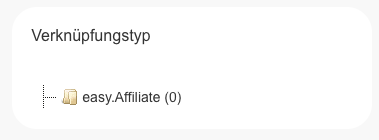
Finally, click the "create new mapping" button to enter the credentials and data required for the API.
External API Credentials
To communicate with the API of an external service provider, corresponding login or access credentials are required. Where to find these credentials within the provider's respective platforms is explained in the individual integration guides.
Admedia Webservice
Admedia API (V6) - POST (Create)
Einleitung
To create ad media via an automated process rather than manually in the easy.affiliate system, easy Marketing GmbH provides a web service API. For this purpose, each user has an Authentication Token and a Login ID available, which are provided via the frontend.
-
User ID: Where is the User ID stored? (See frontend profile)
-
Access Token: Where is the Access Token stored? (See API settings)
Endpoints
-
Endpoint for Admin:
https://SUBDOMAIN.de/ws/V6/admin/JSON/Admedia -
Endpoint for Advertiser:
https://SUBDOMAIN.de/ws/V6/advertiser/JSON/Admedia
Example with cURL
curl -X POST -H "Content-Type: application/json" -H "X-Network-ID: -1" -H "X-Auth-Token: ADMIN_APIUSER_TOKEN" -H "X-Auth-ID: ADMIN_APIUSER_LOGIN_ID" -d "$EXAMPLE_JSON_DATA" https://DOMAIN/ws/V6/admin/JSON/Admedia
Code Example
Ad media can be created using the following format. An example request looks like this:
Headers:
Content-Type: application/json
X-Network-ID: -1
X-Auth-Token: ADMIN_APIUSER_TOKEN
X-Auth-ID: ADMIN_APIUSER_LOGIN_ID
Body:
{
    "campaign_id": 1,
    "project_ids": [50012],
    "title": "Ad Media Title",
    "deeplink": "https://example.de/link",
    "category_id": 5,
    "mediatype": "text",
    "linktext": "Click here",
    "status": 1
}
Parameter Explanations
Headers
| Variable | Meaning | Data Type |
| Content-Type | The Content-Type of the request | String |
| X-Network-ID | The client (tenant) ID or -1 |
Integer |
| X-Auth-Token | The API authentication token of the admin user | String |
| X-Auth-ID | The ID of the admin user | Integer |
Body
| Parameter | Explanation | Data Type | Required |
campaign_id |
ID of the campaign | Integer | Yes |
project_ids |
Whitelist of project IDs | JSON Array | No |
title |
Title of the ad media | String | Yes |
deeplink |
Deeplink of the ad media | String | Yes |
category_id |
ID of the category | Integer | Yes |
click_tracking_getparameter |
Click tracking parameters | String | No |
valid_from |
"Valid from" date | String | No |
valid_until |
"Valid until" date | String | No |
mediatype |
Type of ad media (e.g., text, banner) |
String | Yes |
linktext |
Link text | String | Yes, if type is text |
imageurl |
Image URL | String | Yes, if type is banner |
size_width |
Width of the banner | String | Yes, if type is banner |
size_height |
Height of the banner | String | Yes, if type is banner |
status |
Status of the ad media | Integer | Yes |
Response
Upon successful creation, the API returns the following information as JSON:
-
Ad Media ID:
Integer -
Ad Media Title:
String -
Ad Media Category:
String -
View Link:
String -
Click Link:
String -
View Link (Shortener):
String -
Click Link (Shortener):
String -
Adcode:
String
Admedia API (V6) - GET (Read)
Querying Generated Ad Media via the V6 REST-API
To ensure simple and efficient management of generated ad media, the V6 REST-API provides a query function. This feature allows users to retrieve relevant data regarding the ad media and their corresponding tracking links.
Endpoint
-
For Admins:
https://SUBDOMAIN.de/ws/V6/admin/JSON/Admedia
Required Parameters
-
campaign_id: ID of the respective campaign (Mandatory)
-
project_id: ID of the respective project (Optional)
Example Request with cURL
curl -X GET -H "Content-Type: application/json" -H "X-Network-ID: -1" -H "X-Auth-Token: ADMIN_APIUSER_TOKEN" -H "X-Auth-ID: ADMIN_APIUSER_LOGIN_ID" https://DOMAIN/ws/V6/admin/JSON/Admedia?campaign_id=1&project_id=50001
Expected Response
Upon a successful request, the API returns the following information about the ad media in JSON format:
-
id: ID of the ad media (
Integer) -
title: Title of the ad media (
String) -
campaign_id: ID of the assigned campaign (
Integer) -
project_id: ID of the assigned project (
Integer, if provided) -
clicklink: Click link of the ad media (
String) -
viewlink: View link of the ad media (
String) -
adcode: JavaScript code / HTML code of the tracking link (
String)
📘 Error Handling
-
If the
campaign_idis missing or invalid, an appropriate error message will be returned. -
If no data exists for the specified parameters, an empty dataset (array) will be returned.
Basket Webservice / Update API
📝 Introduction
We offer a web service API for the automated processing of shopping carts. This allows for the subsequent adjustment of already existing baskets. For access, each user receives an Access Token and a User ID, which are provided via the frontend.
🔐 Authentication
The following headers are required to access the API:
| Header | Description | Type |
| Content-Type | The Content-Type of the request | String |
| X-Network-ID | Network ID: typically -1 for cross-client (multi-tenant) API |
Integer |
| X-Auth-Token | Your Access Token (visible in the frontend) | String |
| X-Auth-ID | Your User ID (visible in the frontend) | Integer |
📩 Endpoints
-
Admin:
https://SUBDOMAIN.de/ws/V6/admin/JSON/Baskets -
Advertiser:
https://SUBDOMAIN.de/ws/V6/advertiser/JSON/Baskets
🧪 Example (cURL)
curl -X PUT -H "Content-Type: application/json" -H "X-Network-ID: -1" -H "X-Auth-Token: AUTH-TOKEN" -H "X-Auth-ID: USER-ID" -d '[{"basket_item_id": 76041, "amount": 2, "status": "0", "additional": {"variable1": "text", "variable2": 1}}]' https://SUB.DOMAIN.DE/ws/V6/admin/JSON/Baskets
🧾 Body Parameters
| Parameter | Description | Data Type | Required |
| basket_item_id | Unique ID of the basket item | Integer | ✅ Yes |
| amount | Quantity of the basket item | Integer | No |
| price | Net price of the basket item | Float | No |
| status | Status of the order: 0 = open, 1 = confirmed, 2 = canceled |
Integer | ✅ Yes |
| turnover | Order value in campaign currency | Float | ✅ Yes |
| additional | Additional information regarding the basket item | JSON | No |
Example Request
Headers:
Content-Type: application/json
X-Network-ID: -1
X-Auth-Token: ACCESS-TOKEN
X-Auth-ID: USER-ID
Body:
[
    {
        "basket_item_id": 76041,
        "amount": 1,
        "status": "1",
        "additional": {
            "variable1": "text",
            "variable2": 1
        }
    }
]